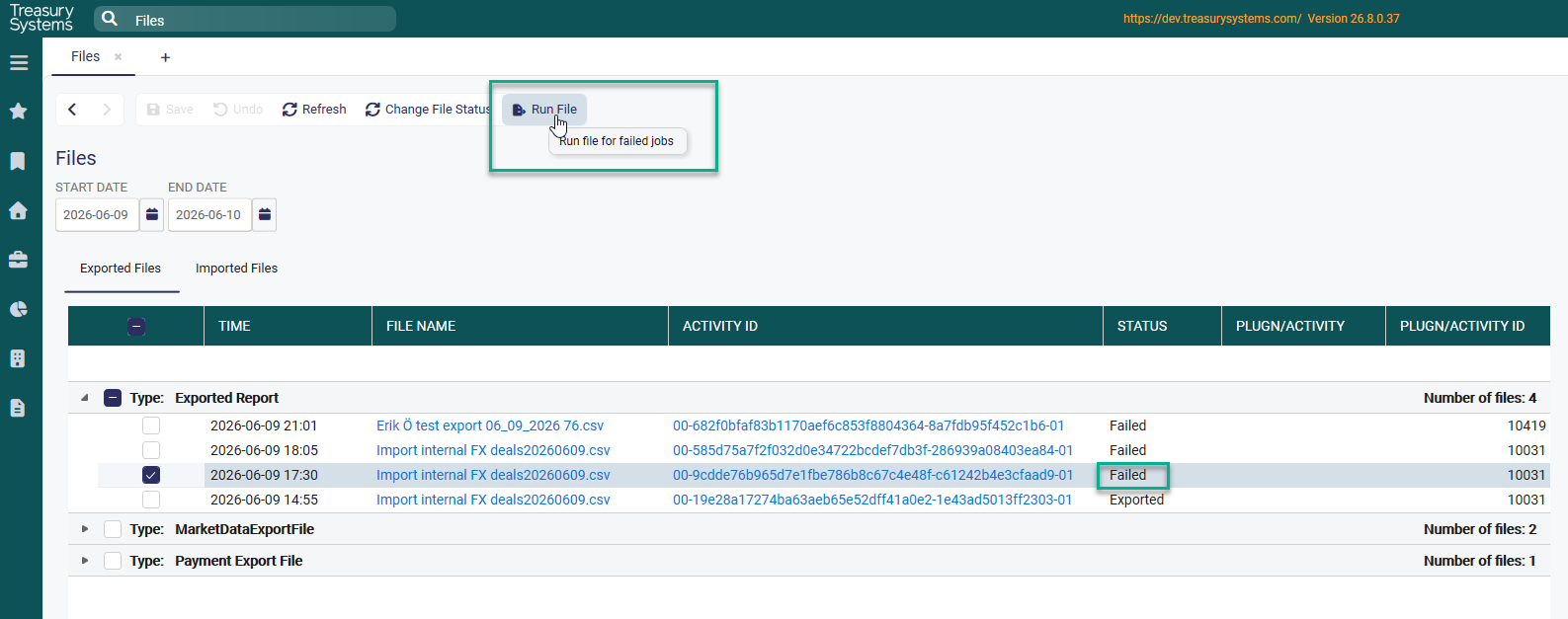
In this view you can see all exported and imported files.
Exported Files
Exported files will show the history of one month, except Exported Reports that shows history for two days.
The status for each export is also shown.
Click on the file name to save the file to a selected folder.
Click on the Activity ID to open up the events window.

Imported Files
Imported files will show the history of one week.
If status is 'Failed' the file can be exported by a tick in the checkbox and click on the 'Run File' function.
To reexport an already successfully exported file, set status to failed and then use the 'Run File' function.
Was this article helpful?
That’s Great!
Thank you for your feedback
Sorry! We couldn't be helpful
Thank you for your feedback
Feedback sent
We appreciate your effort and will try to fix the article