If there is a seasonal or historical pattern in the cash flow, it is possible to upload the actual for a specific cash flow type, e.g. Income Sales, Rent or Salaries and let TS AI predict future cash flow.
First extract the actual from e.g. the bank account booking for this cash flow type in your ERP. See article Import forecast Import of Forecast Transactions tick the setting Actual when importing the forecast. It is also possible to schedule the import via Autopilot.
Cash flow forecast Premium
Go to Submit forecast
Click on the function icon on the Cash flow row you want to use TS AI prediction on.
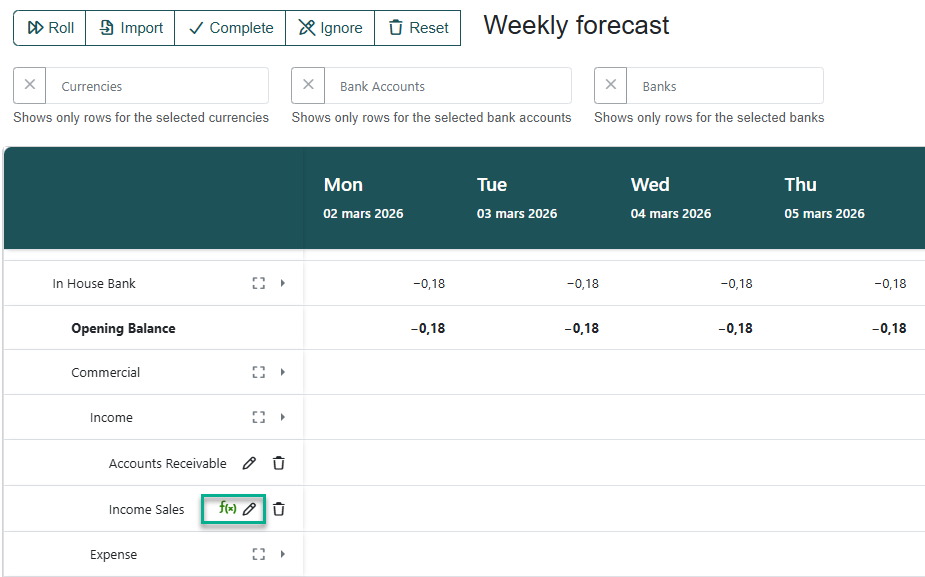
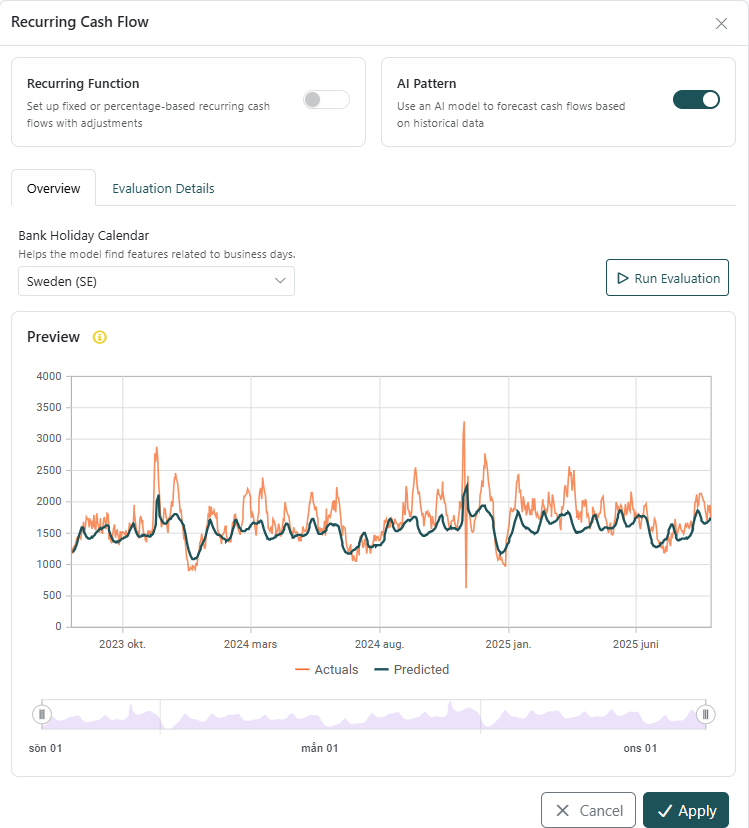
Activate the setting AI Pattern
Click Run Evaluation
AI will use 80% of the historical data to predict the last 20% of the data, to verify the modell.
The more historical data you upload the better the prediction will be
It is possible to zoom in on a specific date interval and see more in detail.
In the graph Actual shows the imported actual and Predicted shows how the AI model predicts the future based on the actual paid cash flows.
In TAB Evaluation details you can find some more information regarding the data.
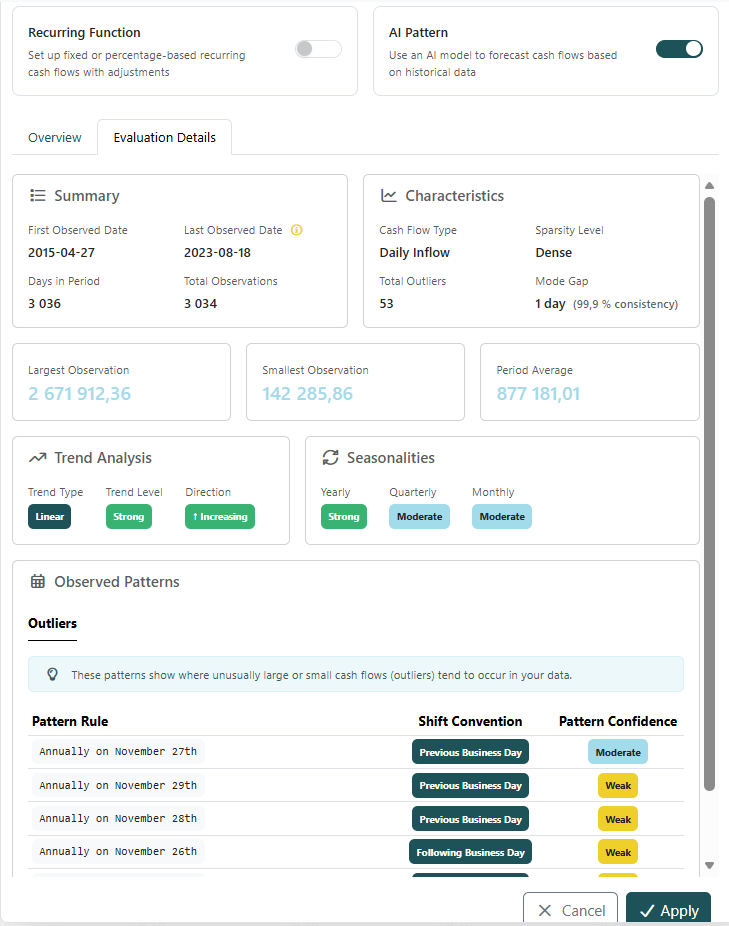
Observation dates
Characteristics such as daily, monthly yearly flows
Number of outliers
Smallest and largest amounts
If you want to use the AI prediction, click Apply
TS will fill the cash flow forecast row with the prediction
It is possible to manually adjust the figures
You can also click on the bin if you do not want to use the AI prediction.
Was this article helpful?
That’s Great!
Thank you for your feedback
Sorry! We couldn't be helpful
Thank you for your feedback
Feedback sent
We appreciate your effort and will try to fix the article