Automatic capitalisation of interest
This is supported for loans and deposits and bank account interest internal and external and both fixed and floating interest.
If this setting is ticked TS will capitalise all interest directly on the loan both for all future interest payments.
If any changes is done to the loan that affects the interest amount e.g. Adhoc amortisation or interest fixing this will update the interest amount and the interest capitalisation amount as well.
The accounting will also be updated automatically
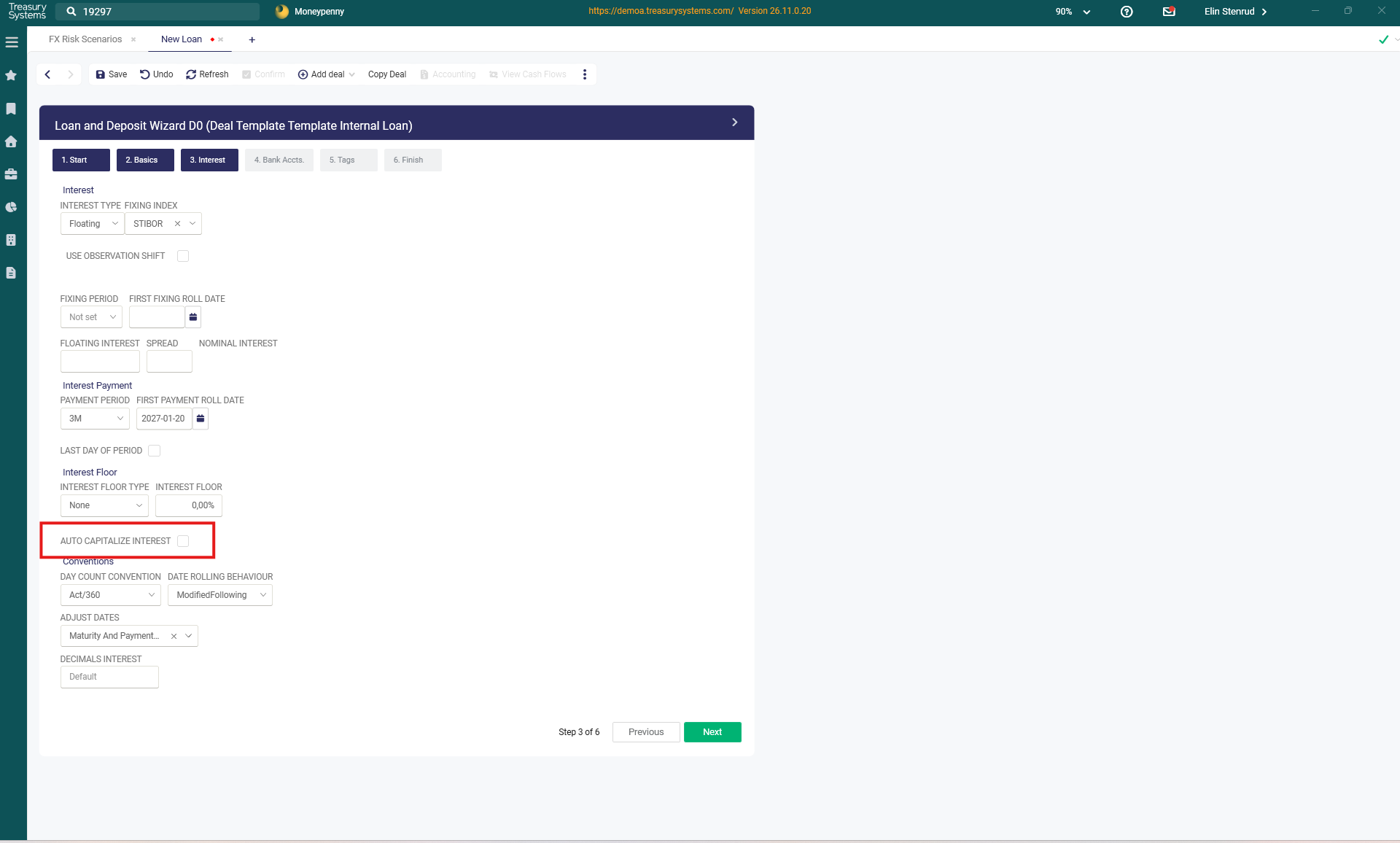
If you want to automatically capitalise interest on a loan from a specific day and onwards or discontinue to capitalise interest, that is also possible by open the specific loan and in transactions, click on terms, decide a date and tick Auto Capitalise interest
Capitalise interest in Batch
Front Office > Modify
Capitalization of interest on Loans are done in the "Modify Transactions" view (Modify Widget)
Note! If the deal has WHT included please see further down in this article!
1. Search the loans for which you would like to capitalize the interest. The Capitalization can be done for several Loans at once, for example all internal loans with same payment dates - all according to your needs and your selections. Note that if you mirror internal Deals, you should only capitalize the interest on the original deal, not the mirrored deal as the capitalization done on the original deal will automatically be mirrored to the Mirror deal. Enter your search criteria in the Selection and press search. See below example.
Your search result will be found if you scroll down, or if you click on the small "arrow" next to the Clear button.

2. Click the check box for loans to Capitalize interest on. Uncheck if some loans shall not be capitalized.
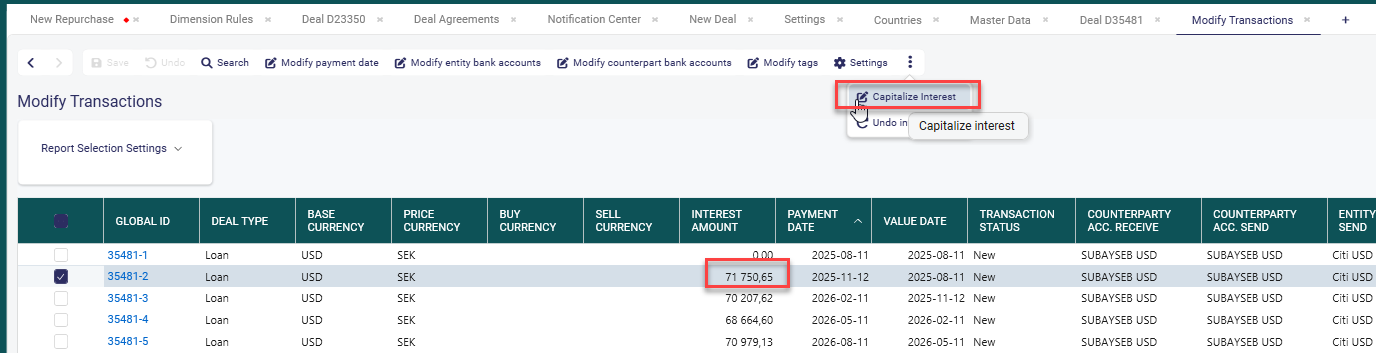
3. Click the three dots and choose "Capitalize Interest".

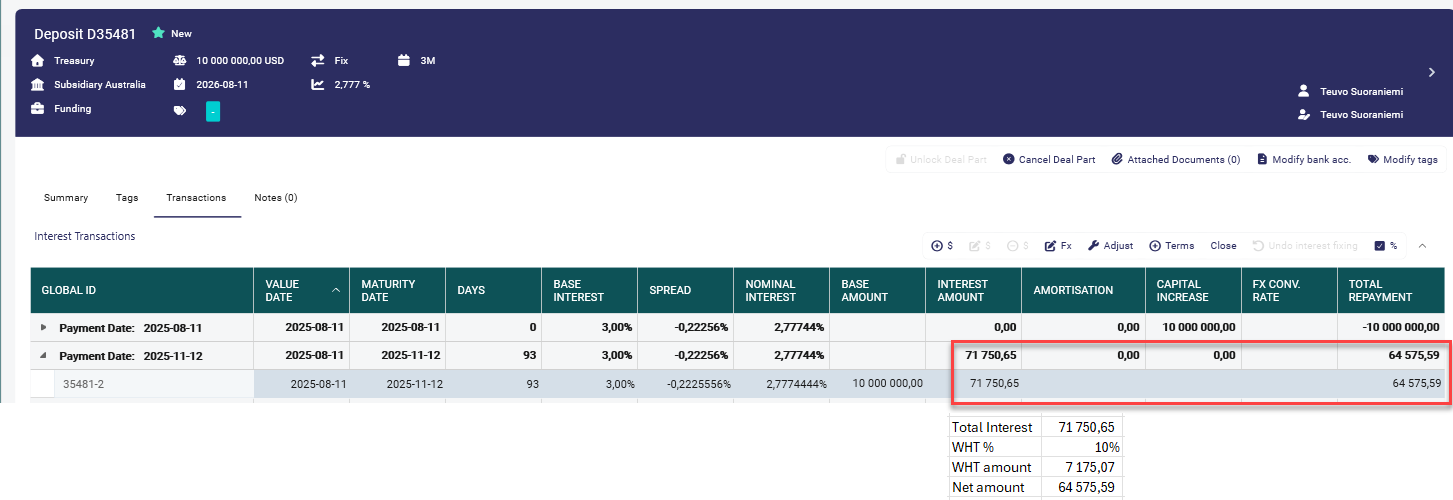
4. The selected Loans will now have a capital increase corresponding to the interest payment, and the result of the capitalization is found in the 'Transactions' tab in the deal registration window as a "Capital increase". See below example

Accounting wise the Interest Income or Expense will be booked as Realized, and the opposite booking will be an increase of the loan amount, nothing is booked to the Cash account. If interest is capitalized on the last day of the month there will not be any accrued interest booked as unrealized.
Capitalization including WHT
Example: Interest transaction with WHT.
Capitalization in Modify view.
Accounting after capitalization. WHT is booked and Loan is increased with the Net amount.

Was this article helpful?
That’s Great!
Thank you for your feedback
Sorry! We couldn't be helpful
Thank you for your feedback
Feedback sent
We appreciate your effort and will try to fix the article