Back Office > Cash Management > Bank Account Interest
It is possible to set up and calculate interest on bank accounts and create accounting for the interest income/expense. It is also possible to decide if the interest amount should be capitalized on the account or if a physical payment should be done. The interest calculation functionality is mainly used for in house banking accounts and Zero balancing cash pools.
Interest Capitalized or Paid.
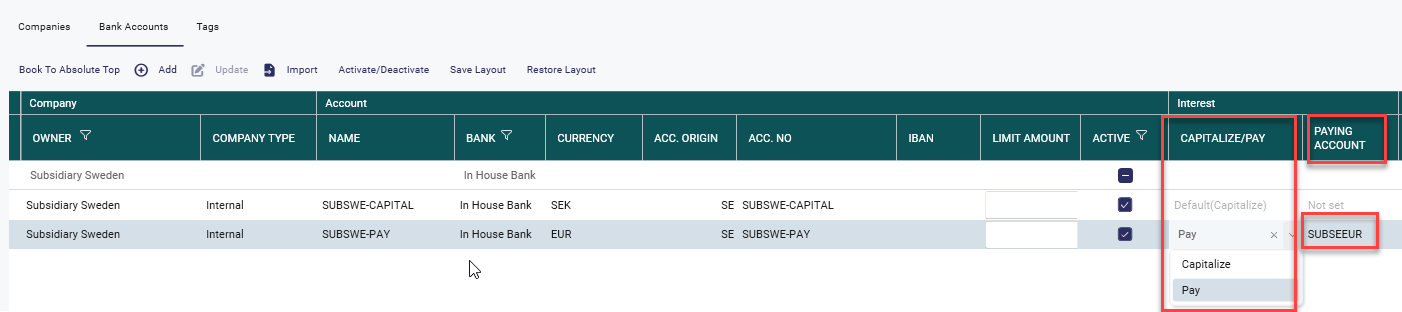
If the interest amount should be capitalized or paid is decided by a setting on the bank account. The setting will decide for which accounts the Cash Flows are created.
Capitalize - Interest amount is capitalized on payment date.
Pay - Interest amount is paid through the Pay function. If Pay is selected a Paying account must be chosen. Meaning a physical/actual bank account used for the payment. The*) Please also see note further down in this article
To create and/or change interest rules, you need to do the following steps:
1. In Bank Account Interest Rules you set up the bank accounts and the rules that should apply for the interest calculation. It is possible to set up rules by currency, bank or cash pool.
If its an internal bank accounts and you want to create a mirror deal to see the bank accounts interest from the subsidiaries point of view and do the accounting set the mirror account in Counterparty account.
Note! There must also exist a Mirror rule for Bank account interest for the mirror transaction to be created.
If it is an external bank account interest that needs to be paid through treasury systems select the bank account in counterparty accounts to where the payment to go to.
To add a rule, click on the Add sign:
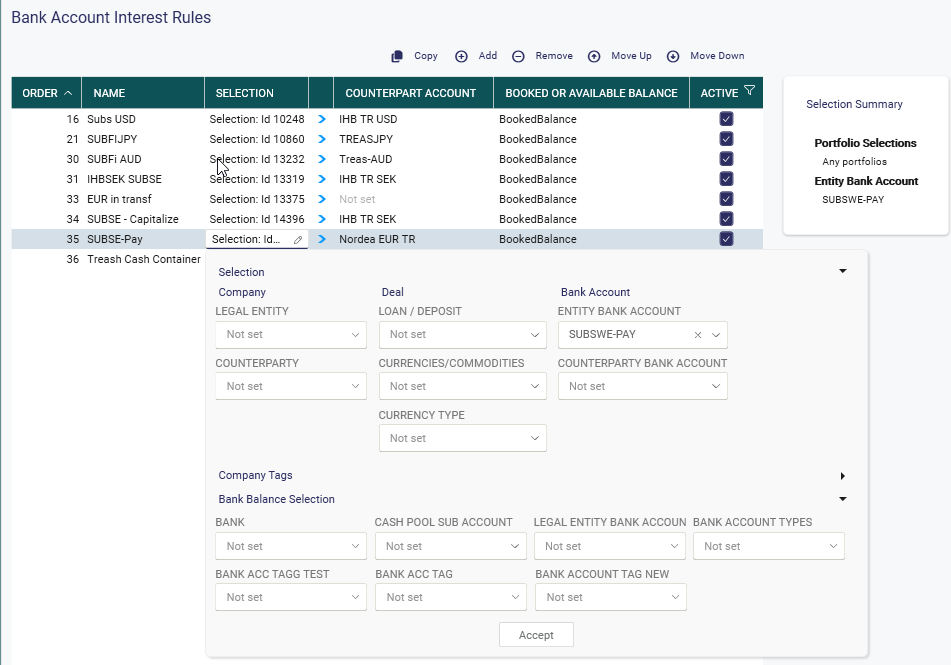
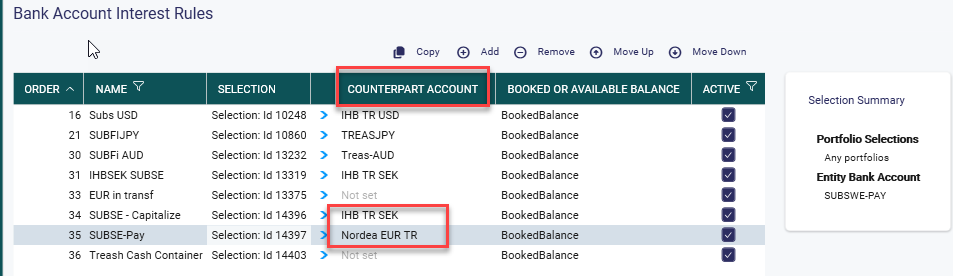
Select a Counterpart Account if the Bank account Interest transaction should be mirrored. It is normally an account owned by Treasury (Internal bank)
*) Note! If the interest is capitalized it should be an Inhouse Bank account. If it is paid it should be a physical Bank Account.
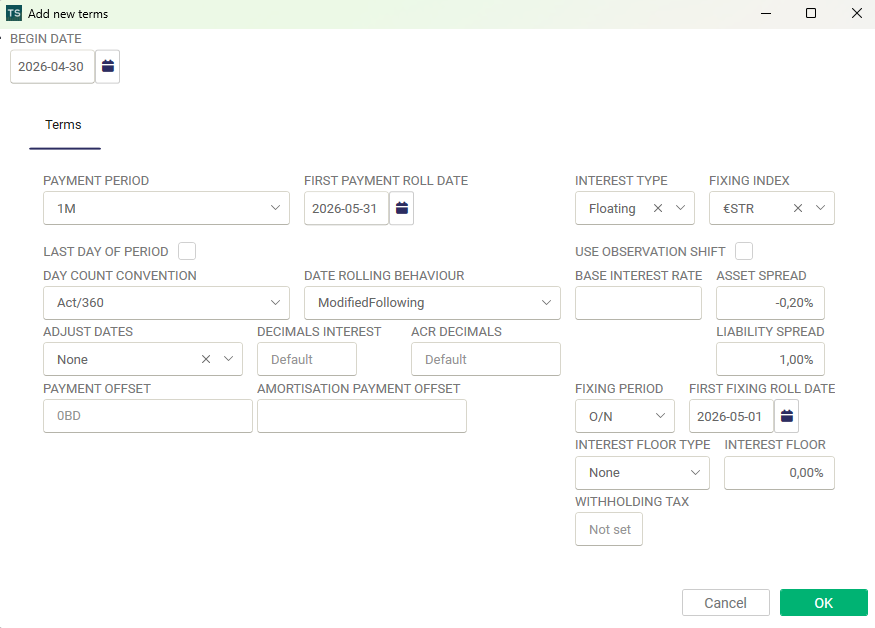
Then, to set up the terms go to your the details below:
Run rules
When you have set up all the rules, choose Run Rules in order to create the deals.
Only deals, that are affected by changes made on the rules, will be updated when 'Run rules' is pressed.
Note! If a rule is deactivated when the rules are run the link between the interest transaction (if there is one already) and the rule is removed. Meaning that the transaction will not be updated by the rule. And it is not possible to fixings on that transaction.

2. If you need to set up new interest rules that should be applied from another date (on the same currency, bank or cash pool), you add a new interest setup by clicking on the plus sign below:

Note that base interest rate, asset spread and liability spread is fixed per rule, if you change those, it will apply on all previous rules. Transactions that are locked (accounting and/or payment approved or exported) will however not be changed. Transactions not locked will be changed and new rules will apply on those transactions. Fixed transactions will change status to missing and needs to be fixed again.
Please note, Asset Spread will be shown in column Spread in Fixing View, while Liability Spread has it's own column.
To change interest and spreads without changing the earlier set up rules, this can be done in the fixing view when you do the fixing of the transactions.
After the new rule is set up, choose run rules again in order for the new rules to apply on existing interest transactions (deals).