Rule‑based setup for applying yield curves to each interest‑bearing instrument for market valuation.
Go to Market Data / Curve rules
Add a rule by clicking on Add
Give the rule a name and description
Make the selection, e.g deal type, tag or other relevant selection
Detail level
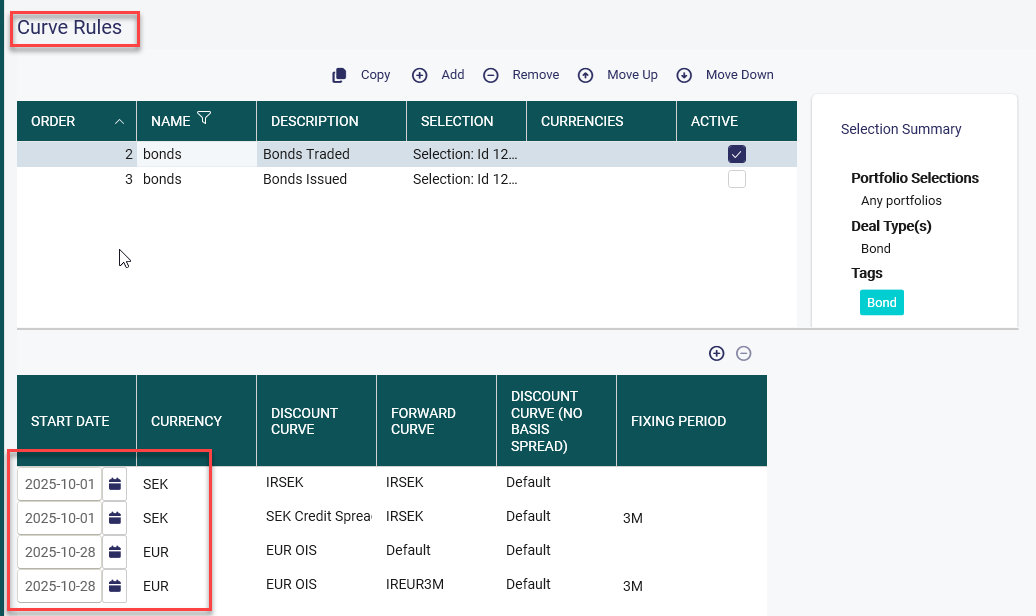
Start date from which date the rule should be applied. that means that all deals that have a begin date on or after the start date will automatically apply the rule when registering a new deal.
If historical deals should be updated use the autopilot and make sure that you have a rule that starts from relevant date.
Select currency
Note if the rule should be applied on CCIRS the currency pair is chosen at the top section
For floating rate instruments a fixing period needs to be entered.
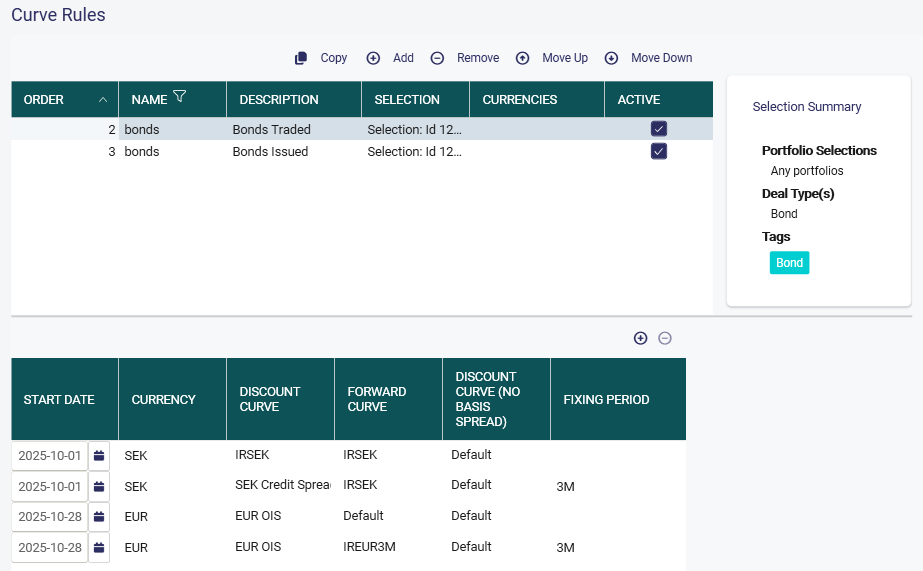
Select discount/forward and or discount curve (No basis spread) if none is selected the default curve from currencies are used.
Update of yield curves on existing deals
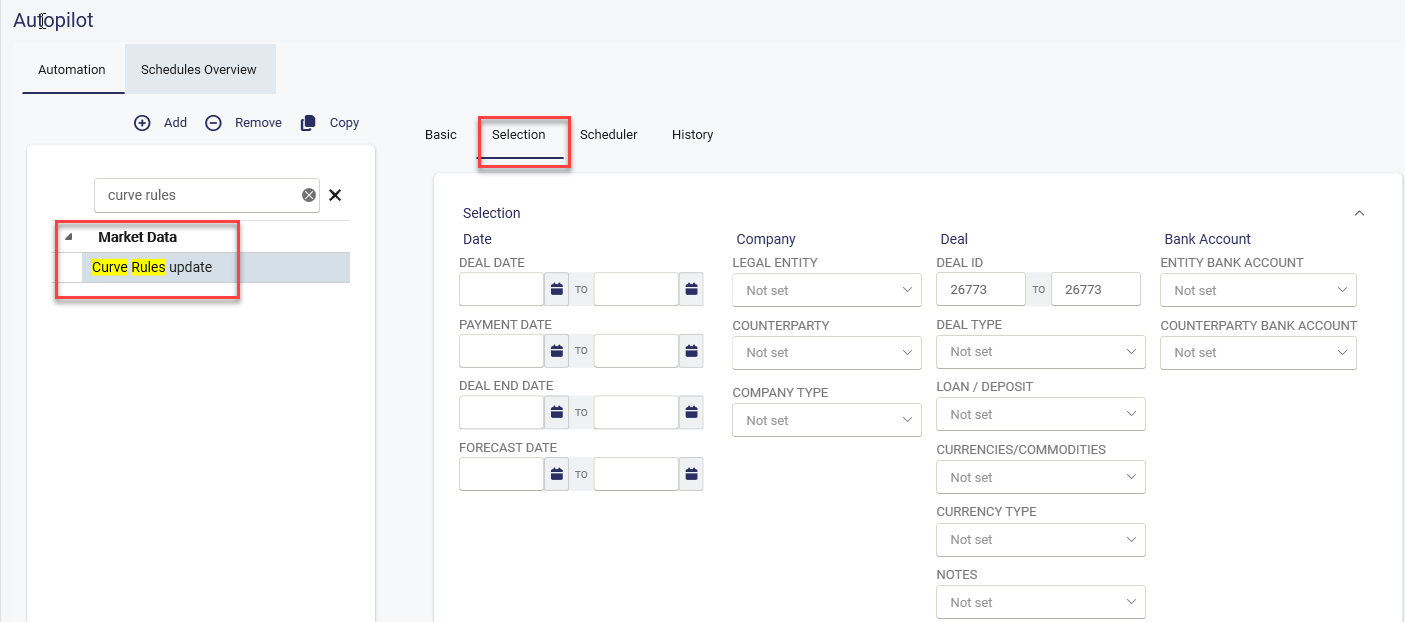
It is possible to setup an activity in the Autopilot to update Yield curves on existing deals.
Make the selection and run the activity.
All deals matching the selection in the autopilot and with a matching curve rule will be updated.
Was this article helpful?
That’s Great!
Thank you for your feedback
Sorry! We couldn't be helpful
Thank you for your feedback
Feedback sent
We appreciate your effort and will try to fix the article