It is possible to book bank account revaluation as realised FX gain loss on all bank accounts which has daily booked balance in TS (Imported, Confirmed, Calculated). This bank account revaluation does not require daily transactions in TS; it is calculated on the daily booked balance.
Accounting Rules
Add GL accounts on the 4 lines starting with bank balance and make a selection for all the bank accounts you want to revaluate.
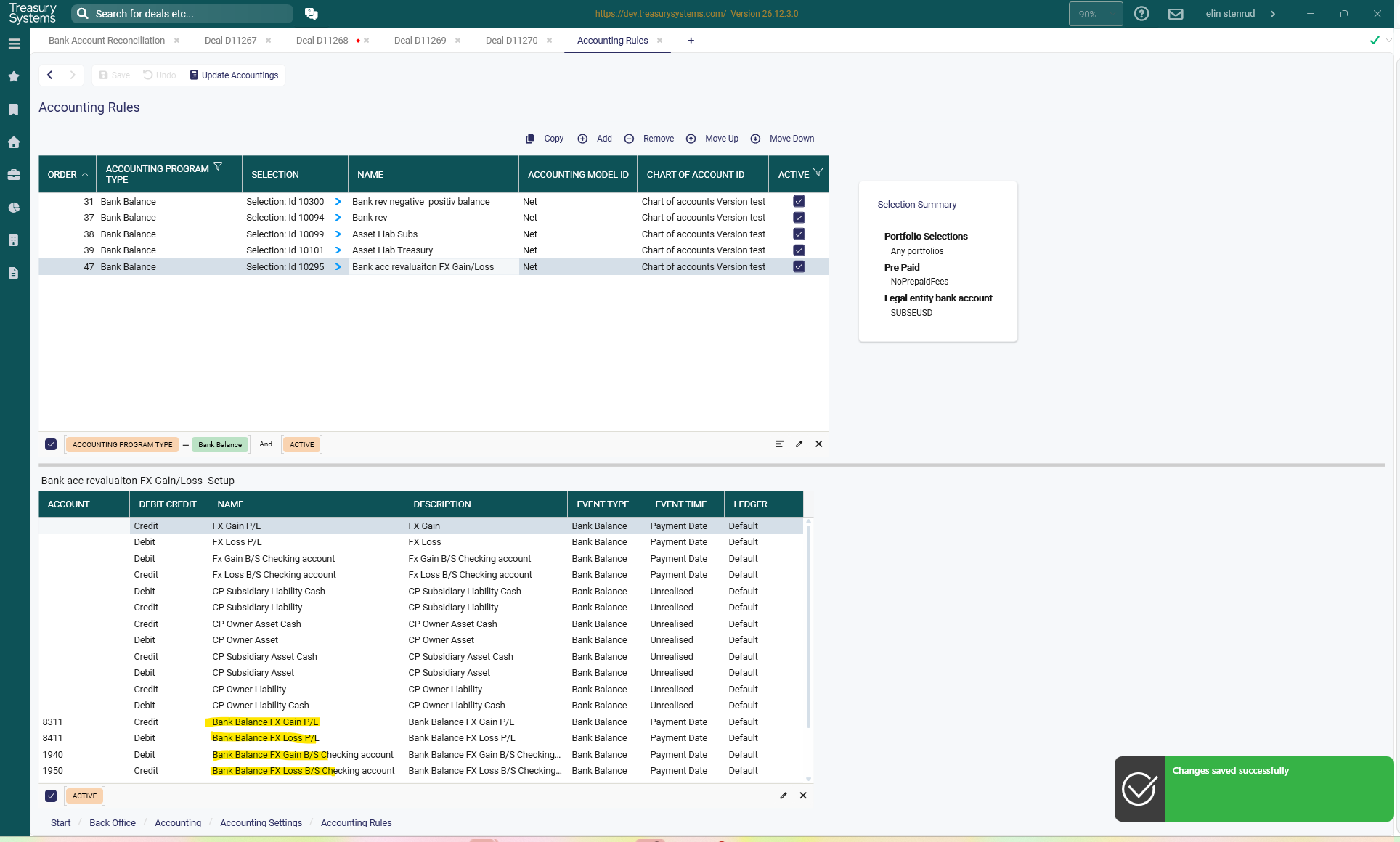
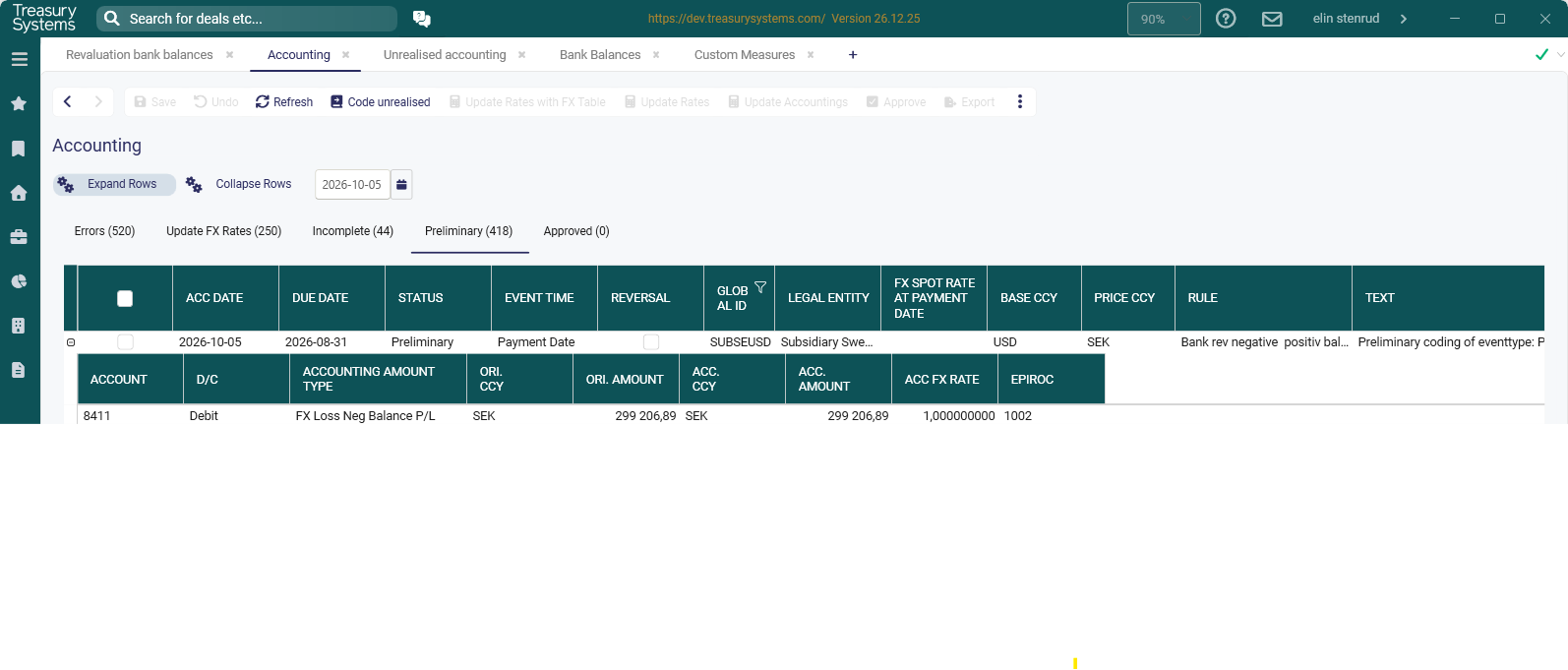
Run Accounting of Unrealised
Select Bank revaluation (Bank Balance)
Select the month-end date and also the correct FX rates at the start that were used last month-end.
Click run
Bank Account Reevalutation calculation
Bank account revaluation will reevaluate the Opening balance from Last month end and daily changes of the bank balances during the month/ quarter.
1. FX rate differences between this month end vs last month end * Opening balance
2. FX rate differences calculated on daily changes of the bank balances during the month. Difference between FX rate at month end vs FX rate for each day * the daily change of the bank balances
Reconciliation report
Create a new report using the template Multiple bank balance
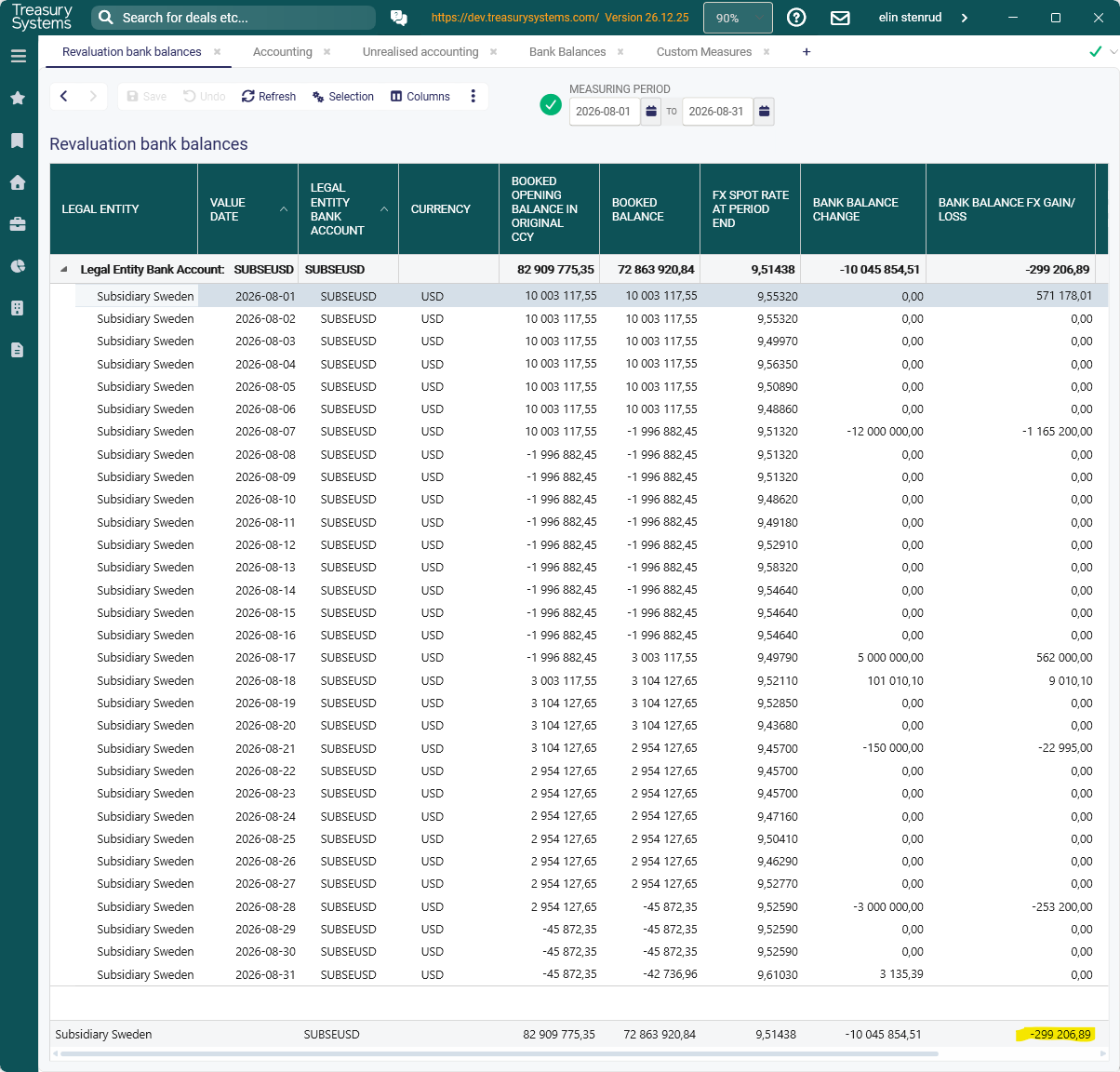
Add the column below
Possible to group per Legal entity bank account and get a total per account and drill down to each days changes to see details.
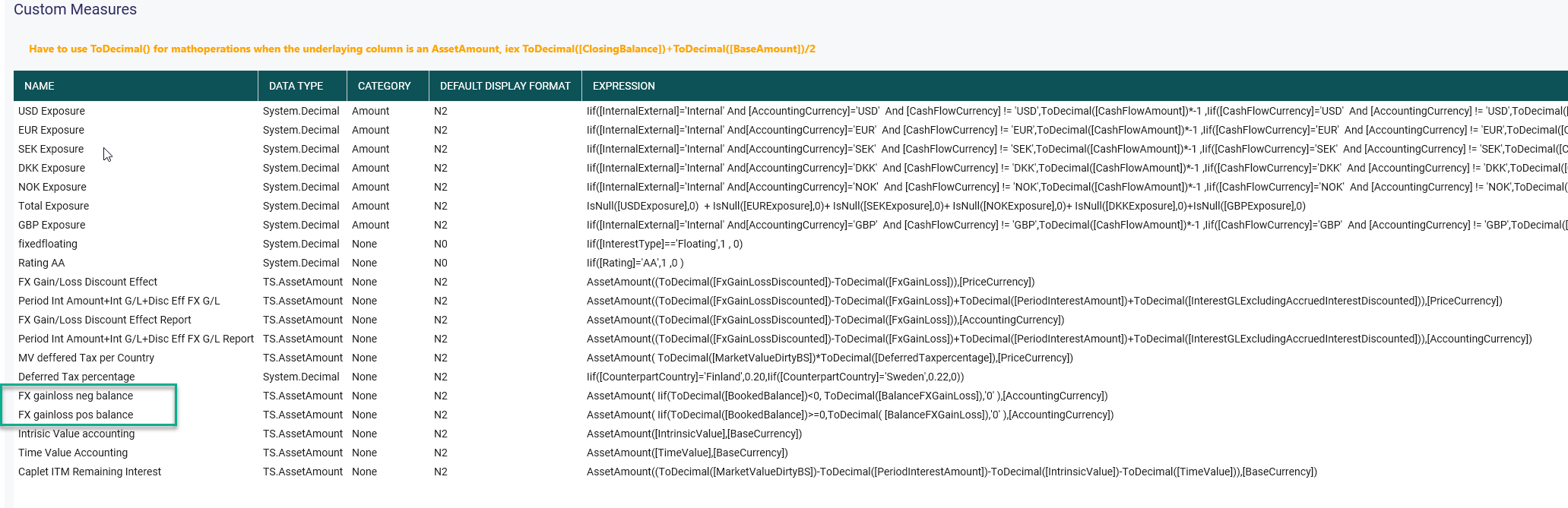
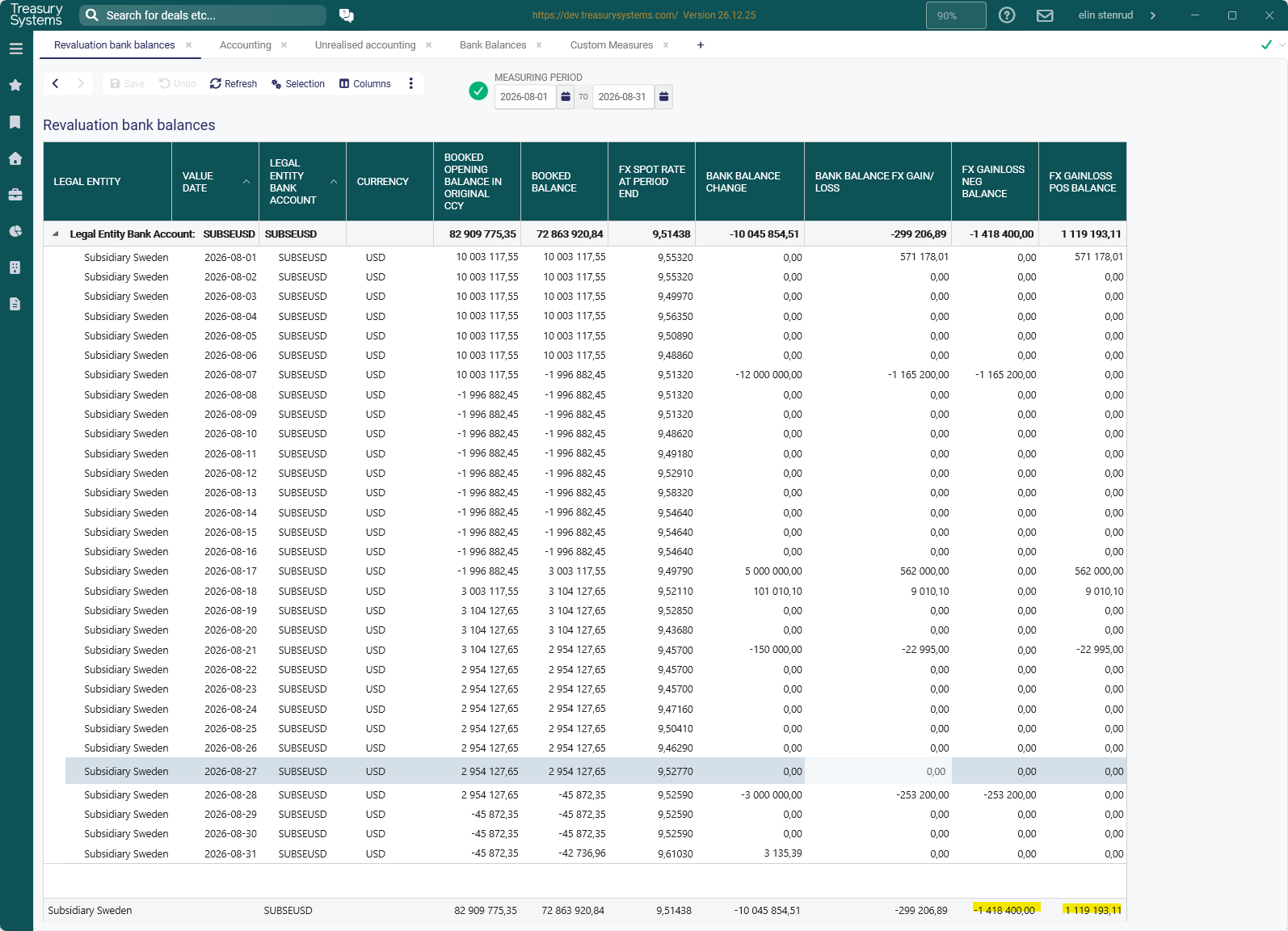
If FX Gain loss should be booked differently depenging on the outstanding bank balance is positiv or negative it is possible to solve with a custom measure in reports.
Was this article helpful?
That’s Great!
Thank you for your feedback
Sorry! We couldn't be helpful
Thank you for your feedback
Feedback sent
We appreciate your effort and will try to fix the article