In the Portal, the Roles & Permissions tab on the main menu lists all users. Each user who runs cash flow forecast reports or submits forecasts needs one of two roles: TreasuryUser or SubsidiaryUser. You can restrict a SubsidiaryUser to specific companies (legal entities) and choose which permissions they have.
Roles
A user's role decides what the user can see and do:
- TreasuryUser: has all permissions by default and sees all companies.
- SubsidiaryUser: only sees the companies assigned to them, and only has the permissions you give them.
You choose the role in the Role list on the user, then select Save.

Companies
Company restrictions only apply to a SubsidiaryUser. Under Companies, you see the companies the user is assigned to, and the user only sees those companies. A TreasuryUser sees all companies. When a user has no companies, TS shows No companies assigned.

Permissions
A TreasuryUser has all permissions by default, so you don't need to set up permissions for them.
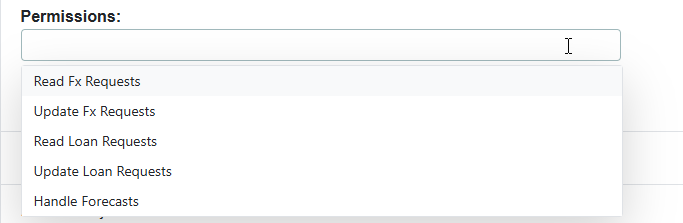
For a SubsidiaryUser, you choose the permissions in the Permissions list, depending on what the user should do. The permissions also decide which views the user sees:
| Permission | What the user sees |
|---|---|
| Handle Forecasts | The Submit Forecast and Reports views |
| Read Fx Requests or Update Fx Requests | The Requests tab |
| Read Loan Requests or Update Loan Requests | The Requests tab |