Let TS AI enter a Loan, Deposit, IRS and Commercial Paper based on the agreement for you!
Add permission Register Deal Agreement to use this function and see the Widget.
An activity in the Autopilot per deal type needs to be set up before TS AI can start reading the agreements.
Open / Autopilot
Add activity
Deal Agreement
In category: Deal import
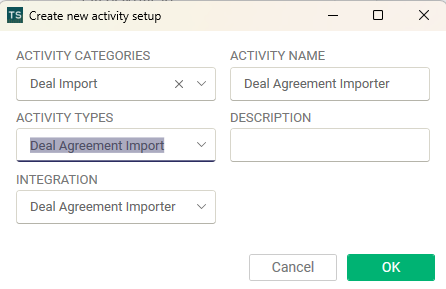
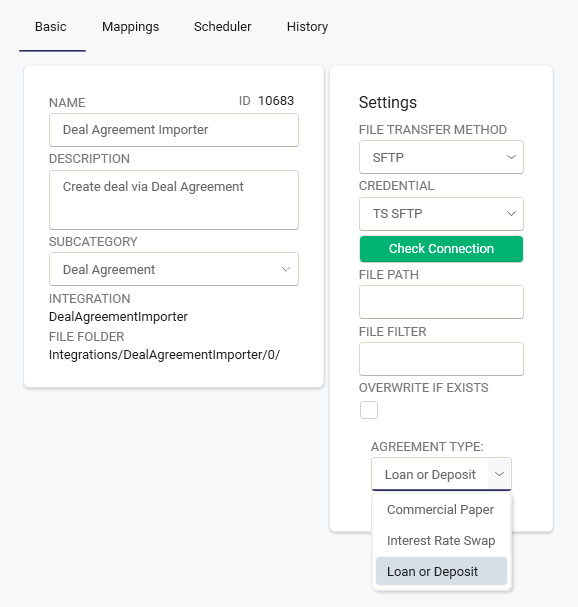
Please note that you need to setup separate activity depending on agreement type.
Under deal action, it is possible to drop your agreement in PDF or Word and let TS AI read the agreement and enter the deals for you. If you have received information from a bank or subsidiary via email, it is also possible to copy the information in the text box for TS AI to enter all the loan details.
Most languages are supported, and it is also possible to enter both external and internal loans or deposits. If the Counterparty, according to the agreement, is marked as internal in Master Data, it will be an internal loan with a mirror deal according to the rules.
Many different date formats are supported.
Open Deal action / Deal agreements
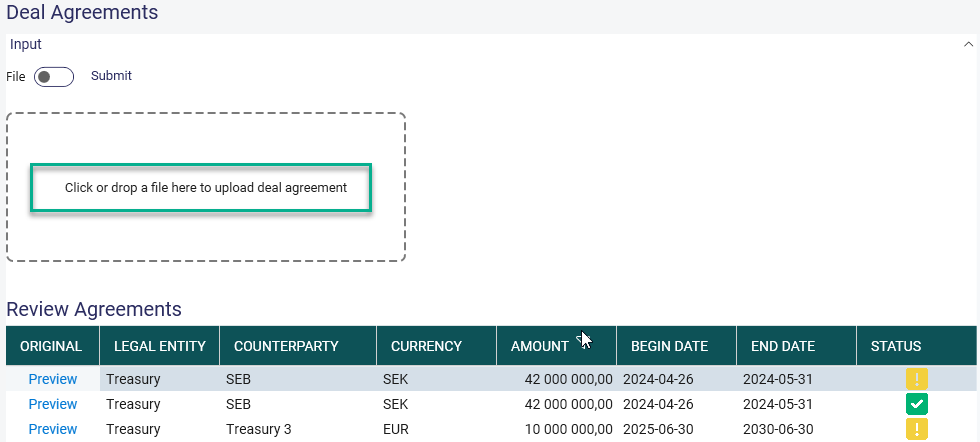
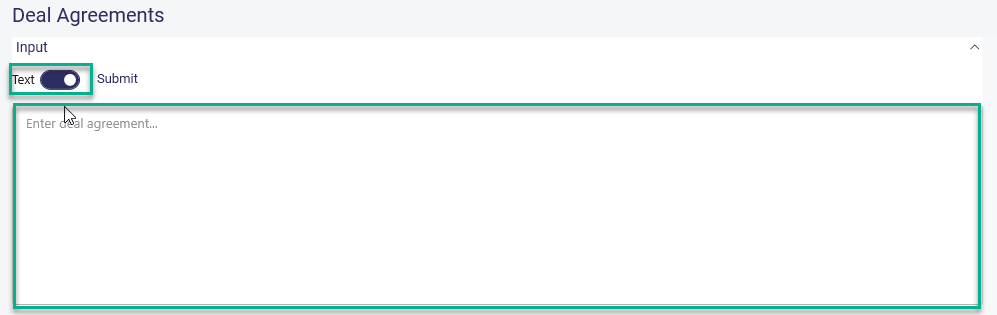
Click 'Submit'
Click 'Refresh'
The following fields are today supported to import:
- Legal entity
- Counterparty
- Currency
- Amount
- Deal Date
- Begin Date
- End Date
- Interest Type: Fixed or Floating Interest
- Fixing Index
- Fixing Period
- First Fixing Roll Date
- Spread Floating
- Spread Fixed
- Payment Period
- First Payment Roll Date
- Day Count Conventions
- Date rolling behaviour
- Adjust dates
- Last day of period
If you need to add other advanced setting e.g. additional bank holidays or amortisation plans, you must do so manually before saving the deal.
The loan suggestion will be visible in the grid below.
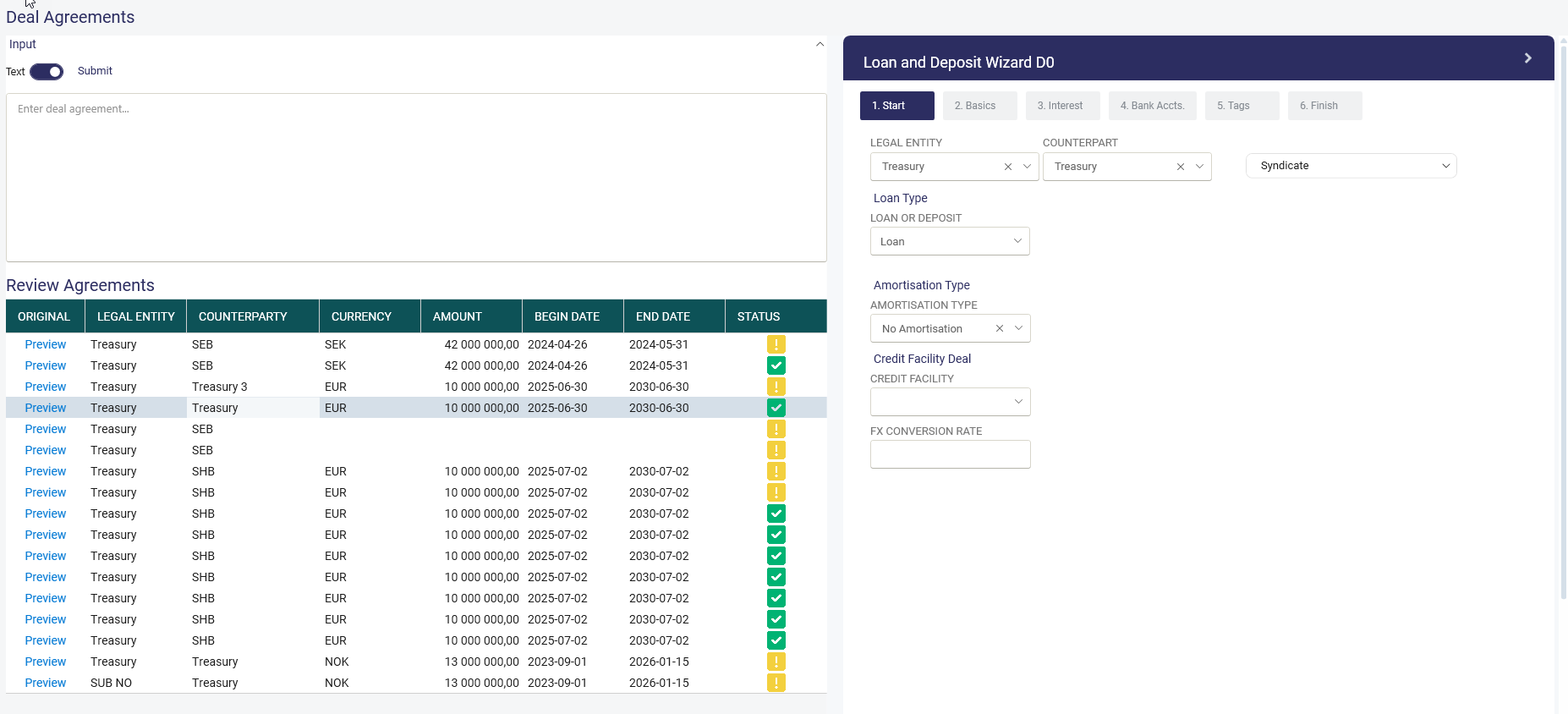
If the status is green, the checkbox indicates that TS AI has found all the mandatory information to enter the loan. You only need to check the entered data and click save on the last step in the Wisard shown to the right.
If the icon shows yellow and a warning, then some mandatory information is missing. It is possible to hover over the exclamation mark to see the missing details. Verify all entered data and add the missing information and click save on the last step in the Wisard shown to the right.
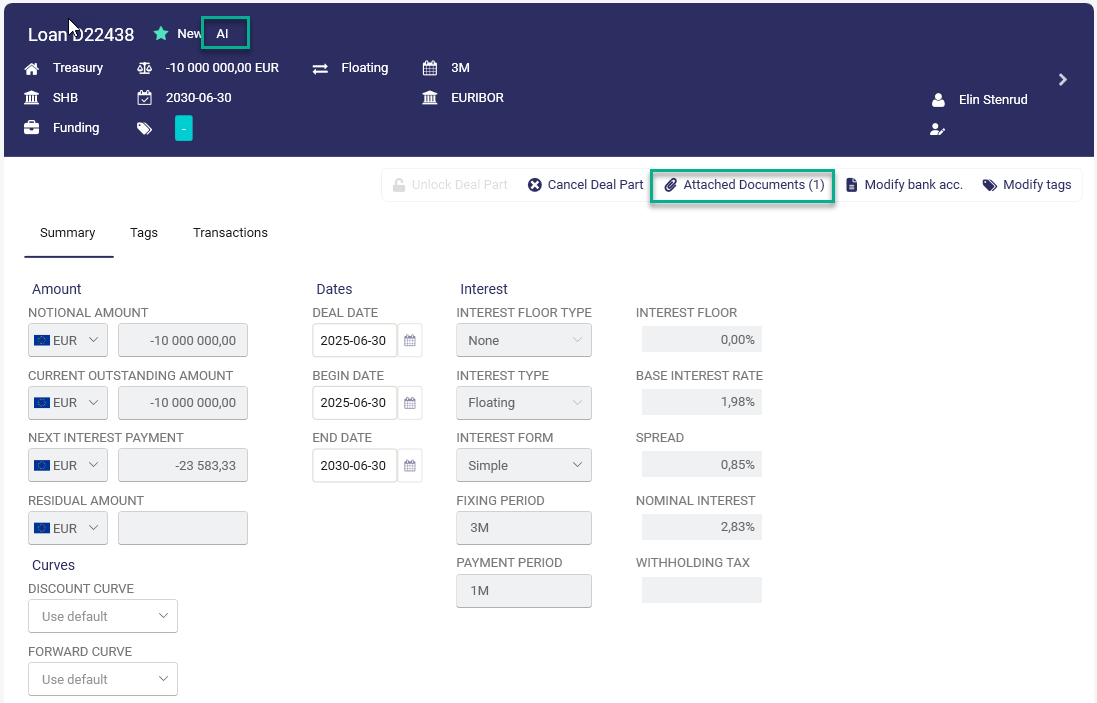
If a loan agreement in PDF is dropped or uploaded, it will also be an attachment to the saved deal. See print screen below.
All deal suggestions entered by TS AI will be marked as AI at the top of the deal. It is also possible in selections to find these by selecting External Source AI.
Autopilot
It is possible to automise the import of Deals from deal agreement in pdf. Add an activity in the autopilot and choose a SFTP and set up an automatic transfer of all new loan agreements to thee SFTP.
Was this article helpful?
That’s Great!
Thank you for your feedback
Sorry! We couldn't be helpful
Thank you for your feedback
Feedback sent
We appreciate your effort and will try to fix the article