If you want to drill down and see the details of each scenario date per deal.
Select Valuation date.
Tab Deal Grid - Shows Scenarios per Deal / Deal part.
Select the deal that you want see details for.
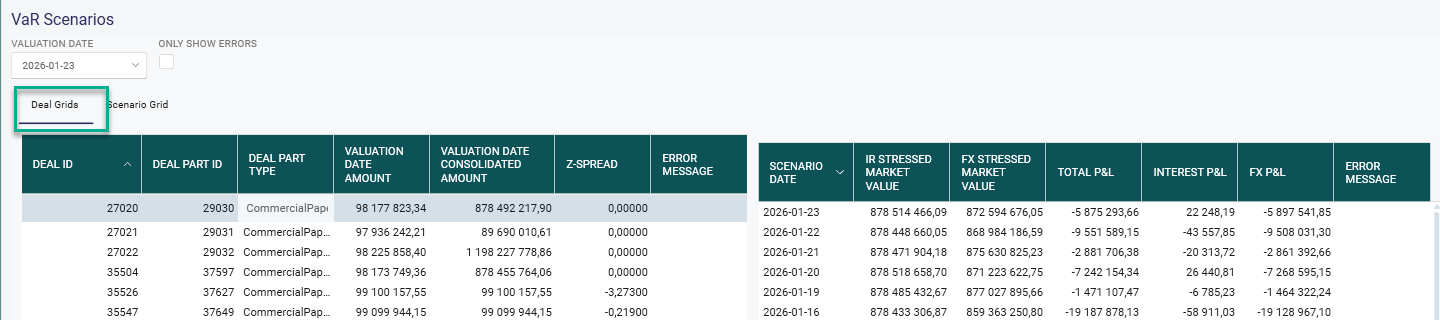
Valuation Date Amount - Market value per valuation date in original currency.
Valuation Date Consolidated Amount - Market value per valuation date consolidated to the currency selected in he System Settings.
Z Spread - Z-spread is calculated for Bonds and Commercial Paper as a fixed spread based on the difference between the Bond price and the Yield curve and is used in the VaR calculation to get a more correct profit and loss value, including the counterparty risk.
Error Message - If Market value is not possible to calculate an error message is shown.
Scenario Date - Maximum 252 days but is decided in the Autopilot run.
Interest Stressed Market Value - Market value stressed with historical changes in interest rate yield curves times FX Rate on the Valuation date.
FX Stressed Market Value - Market value per valuation date in original currency times stressed with historical changes in FX Rates.
Example FX Stressed Market Value
FX Rates - USD/SEK
2026-01-23: 9,50
2026-01-22: 9,40
Difference: 9,50 - 9,40 = 0,10
Calculation of the FX Stressed Market Value on 2026-01-23 = MV * 9,60
Total P&L: Interest P&L plus FX P&L
Interest P&L: Interest Stressed Market Value minus Valuation Date Consolidated Amount
FX P&L: FX Stressed Market Value minus Valuation Date Consolidated Amount
Error Message - If Market value is not possible to calculate for the specific scenario date an error message is shown.
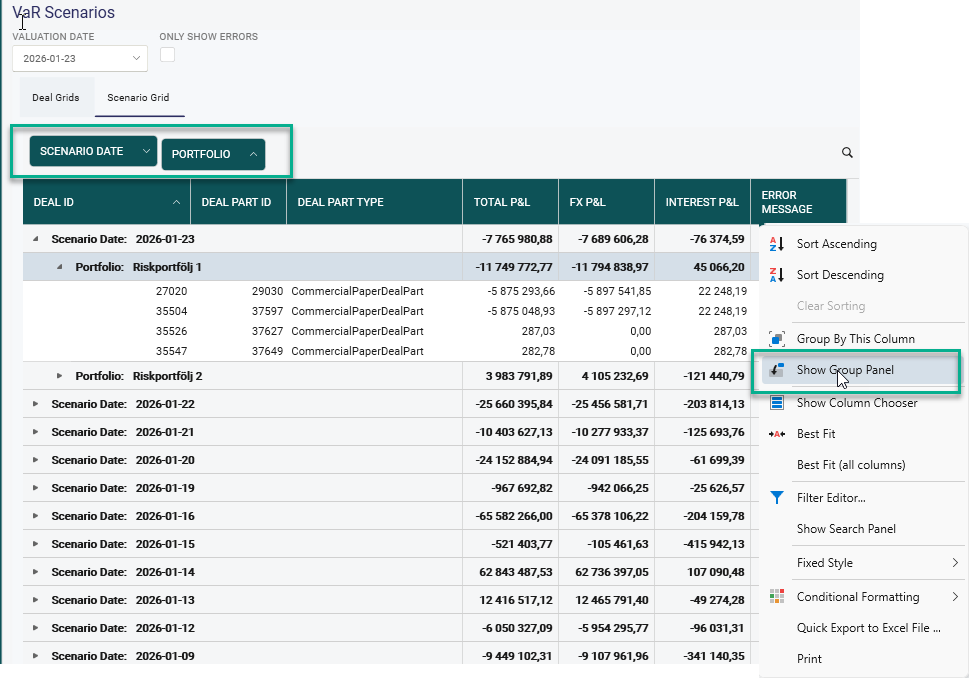
Tab Scenario Grid - Shows all Scenarios. Possible to group by Scenario date, Portfolio, Deal Part type and Deal part ID
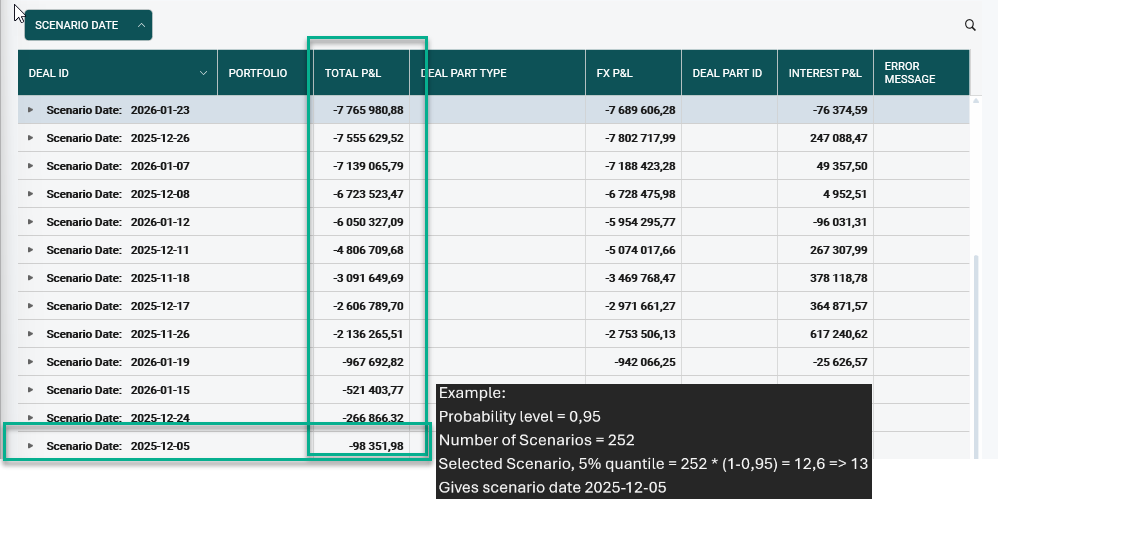
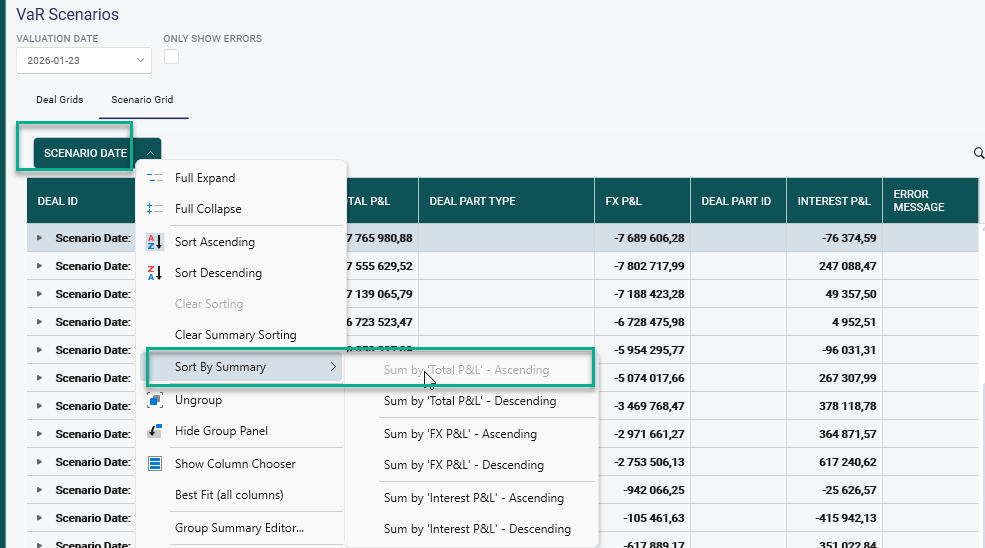
How to find highest Total P&L or Total P&L for a specific quantile.
Right click on Scenario date - Select 'Sort By Summary' and then 'Sum By Total P&L - Ascending'.
Result - Sorted by total P&L per scenario date in Ascending order.