In reports and other areas, it can be useful to group bank accounts for easier management and selection. The Group is updated in one place and will automatically affect all rules and selections where the group is used.
Create a bank account group
- Go to master data / Bank Account Groups tab.
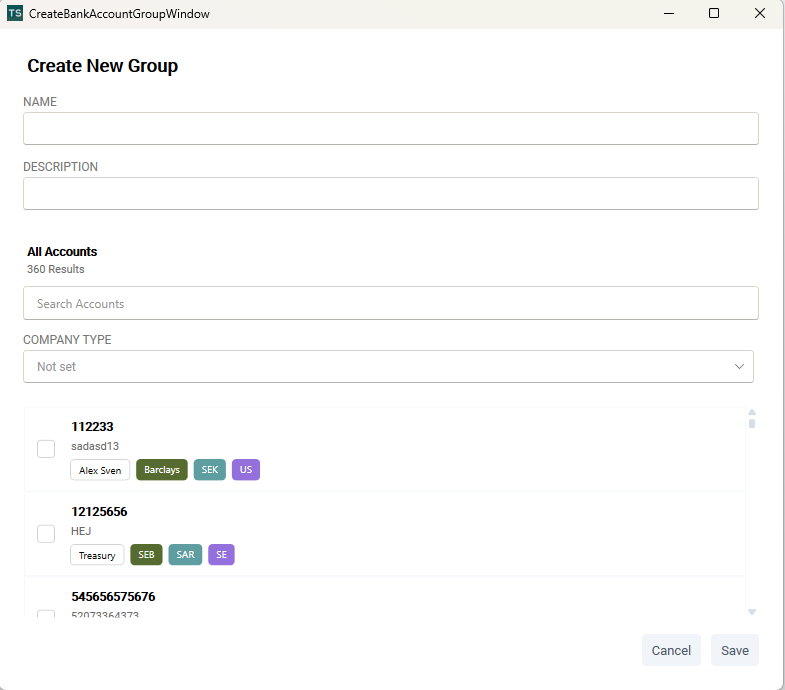
- Click Add Group.
- Enter a Name and Description for the group.
- Use the search function to allocate the bank accounts you want to include.
- Select multiple accounts as needed and click Save.
View and manage groups
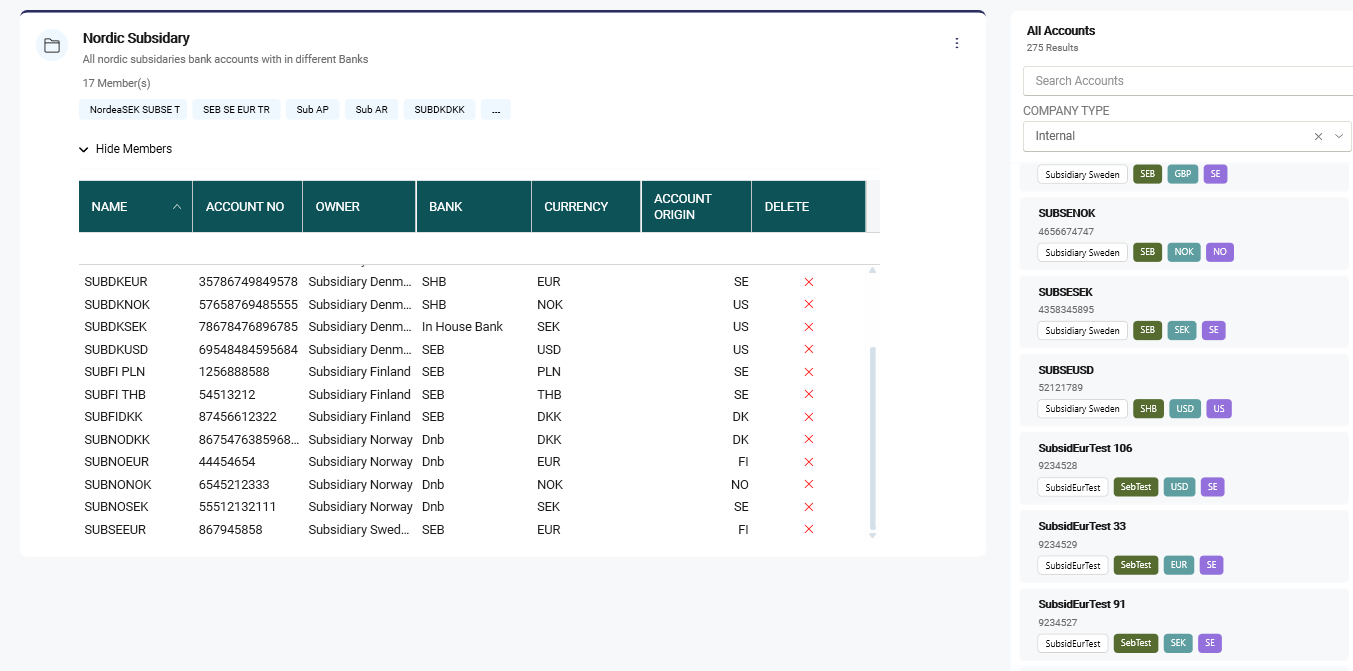
- Once a group has been created, the first five accounts are displayed in the overview.
- To view all accounts included in the group, open the detailed grid view.
- You can add more accounts in one of the following ways:
- Drag and drop accounts into the group or
- Click the three dots (More options) and select Edit
Export groups
Bank account groups can be exported to Excel:
- Export all groups
- Export a single group (via the three dots menu for that group)
Use Bank account groups in reports
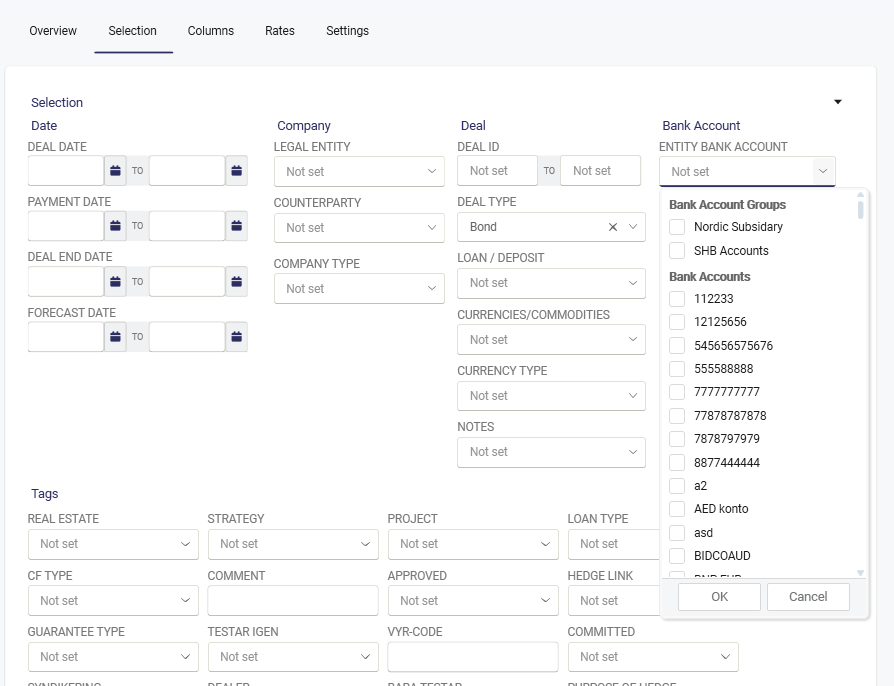
Bank account groups are available for rules and selection in reports and similar functions.
They will appear at the top of the drop-down list for easy access.
Was this article helpful?
That’s Great!
Thank you for your feedback
Sorry! We couldn't be helpful
Thank you for your feedback
Feedback sent
We appreciate your effort and will try to fix the article