Some companies needs to do accounting on deal date (when the contract has been signed) e.g. Banks and financial institutions. To do deal date accounting there are some settings to do in order to make it work.
1. Go to Settings/ System Settings select System Accounting 
2. In Accounting Rules select relevant Accounting model ID to get the relevant amount types.
The Accounting will use deal date FX rate instead of default (deal begin date)
At Deal date an interim cash booking will be made and at begin date Treasury Systems will create an FX Gain/Loss on the difference between deal date and deal begin dates FX rate.
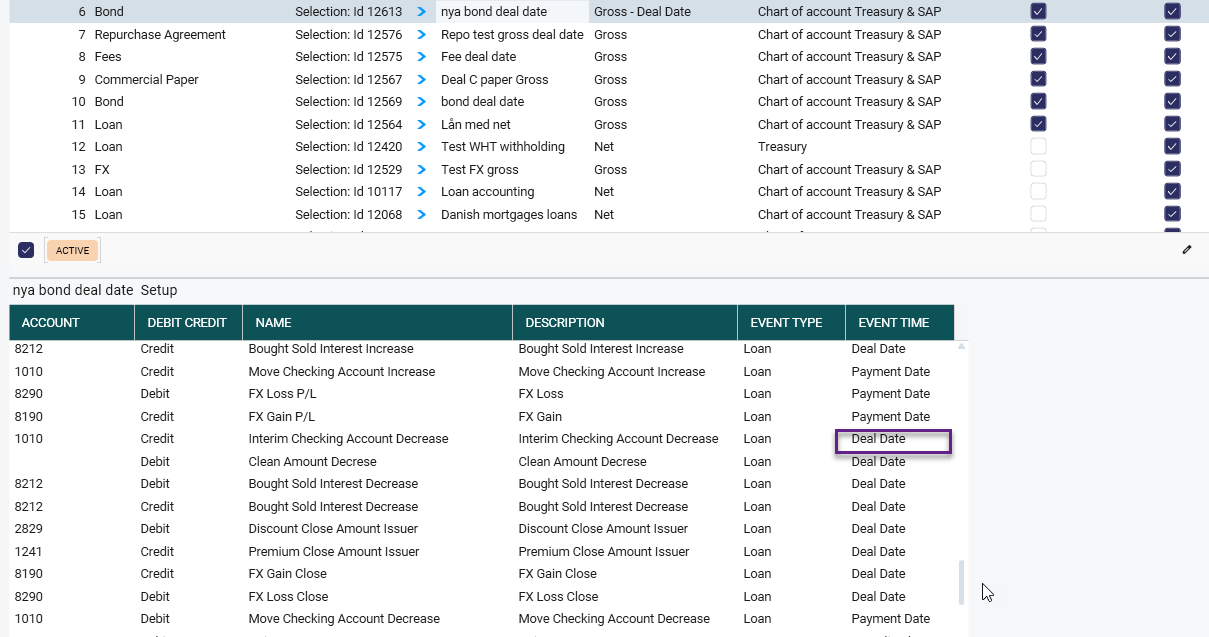
When using the Deal Date accounting model there will some different Accounting Amount Types. The event time Deal date will be shown.
Was this article helpful?
That’s Great!
Thank you for your feedback
Sorry! We couldn't be helpful
Thank you for your feedback
Feedback sent
We appreciate your effort and will try to fix the article