Functionality for sending CAMT057 messages to banks for preadvice of incoming payments. The messages are sent via SFTP to the banks.
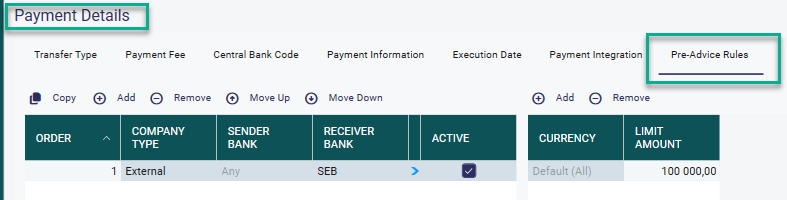
Payments - Payment Details - Tab Pre-Advice Rules
Define rules for which incoming payments should be pre-adviced. Possible to set an general amount limit or a limit per currency.
Filters can be set on the following parameters:
Company type - Select which incoming payments that should be preadviced based counterparty company type.
Sender Bank - Which sender banks (Counterparties bank) should be included.
Receiver bank - Which Receiver banks (Legal Entities bank) should be included.
Currency - Possible to set a limit for per currency or one limit for all currencies (Default (All).
Limit Amount - Per selected currency or all currencies (Default (All). Incoming payments equal to or greater than the limit amount will be preadeviced. The limits for the rules can be a combination of limits for specific currencies and a Default (All) limit.
Note! Incoming flows are not preadviced at any time if Netting Type for the Payment is one of the following:
Autodeb
AutoDebNet
AutoDebGross
AutoDebNetBY Deal
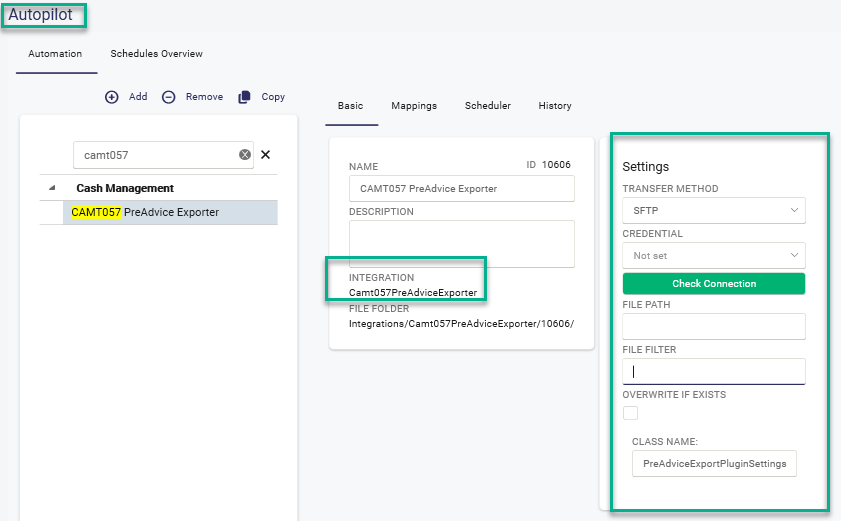
Autopilot
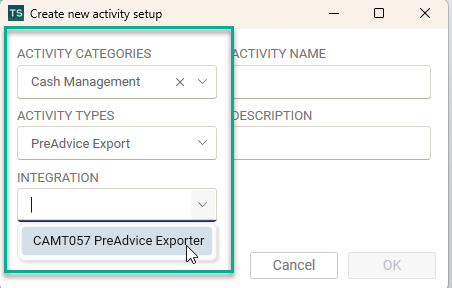
Create an activity of type Camt057PreadviceExporter in the Autopilot.
Select transfer method to SFTP and select credentials to be used for the transfer.
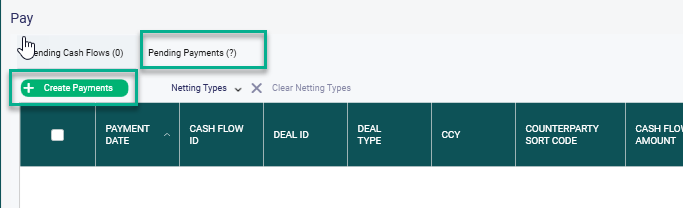
Payments - Pay
The preadvice rules are applied after the Create Payments function is performed and the Payment rules are applied.
The result of payments and preadvice are seen in the Pending Payments tab.
Note! Preadvice is not done for old dates.
The status can be one of the following:
Preadvice - When a predvice rule is applied
ApprovedPreAdvice - When a Predvice is Approved
Preadviced - When a Predvice transaction is exported (Seen in All Payments view)

Undo Preadvice
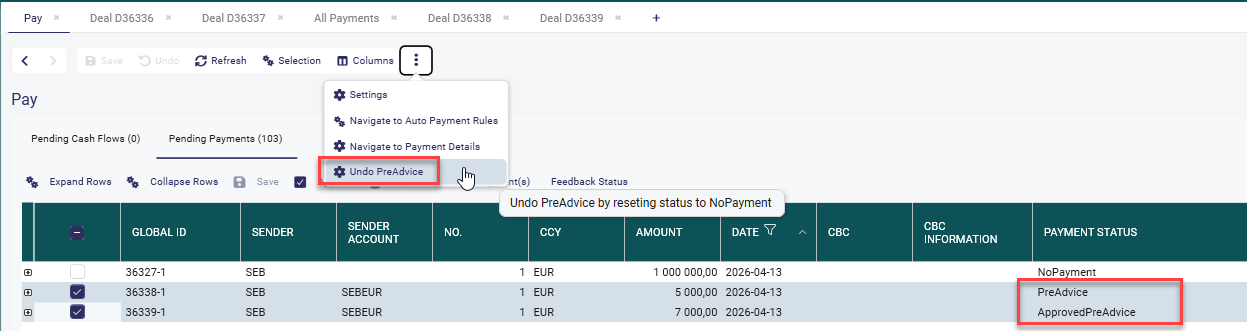
To undo a Preadvice/ApprovedPreAdviced click on the three dots and select Undo Preadvice. This changes the status to 'NoPayment'. If you want to apply the predvice rules again, use the Revert Payment function to send it back to tab Pending Cash Flows.
Bic codes in the file
AcctOwnrAgt - The BIC for Legal Entities bank account
DbtrAgt - Counterparty Bank BIC Code
IntrmyAgt - Correspondent BIC for Legal Entities bank account if it exists. If Correspondent BIC is empty, the BIC for Legal Entities bank account will be populated.
Was this article helpful?
That’s Great!
Thank you for your feedback
Sorry! We couldn't be helpful
Thank you for your feedback
Feedback sent
We appreciate your effort and will try to fix the article