Support for accounting according to two different accounting standards, Local GAAP and IFRS.
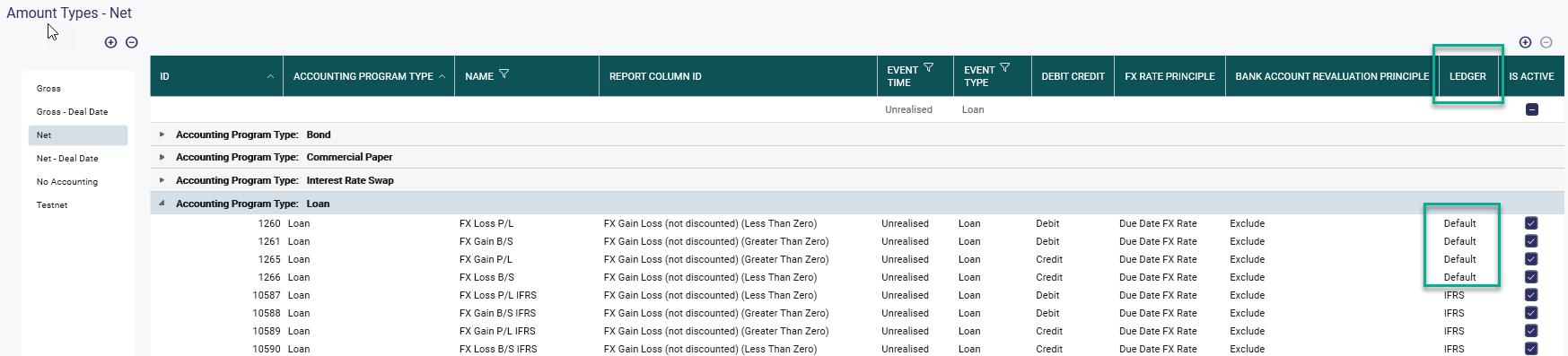
All system default Amount types used for accounting have the ledger setting 'Default' -> Local GAAP.
To create accounting also according to IFRS create new amount types and select ledger type 'IFRS'
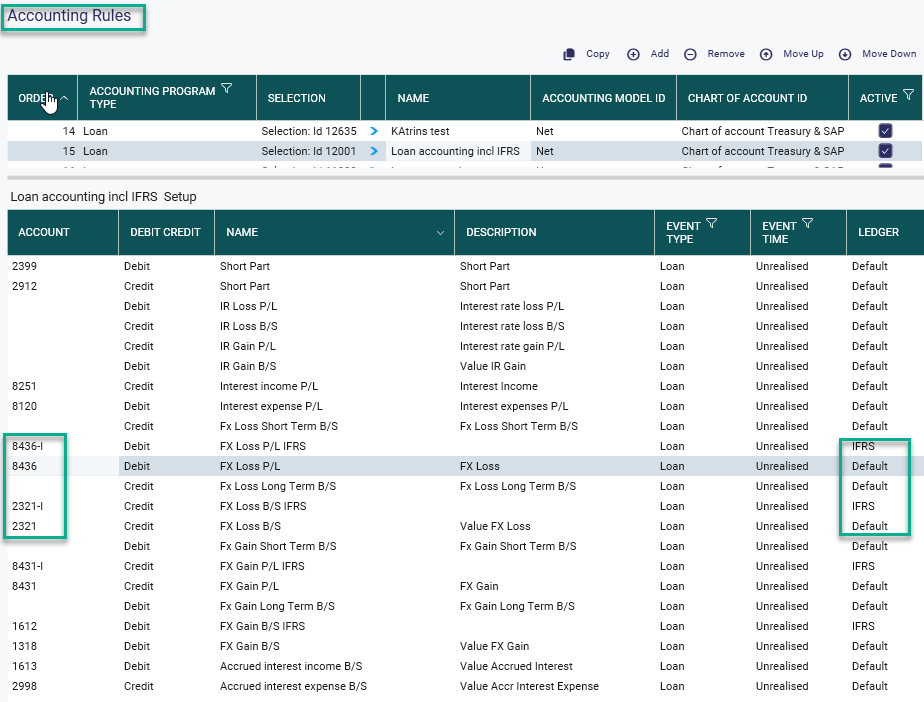
Accounting Rules
Set account numbers for both ledger types 'Default' and 'IFRS'.
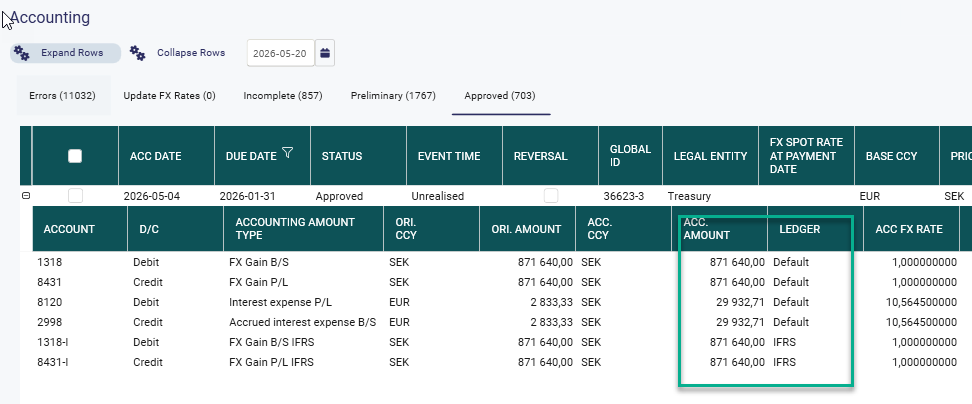
Example of an accounting with rows for Local GAAP and IFRS.
Note! The system will automatically check that debit and credit balances per ledger. System rounding is also performed per ledger.
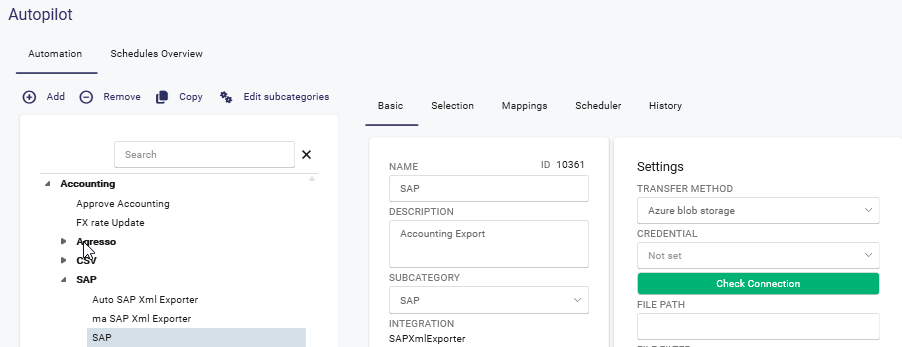
Accounting Export
The export will automatically split the accounting entries into separate files per Ledger.
File for Ledger type IFRS will have IFRS as prefix in the file name.
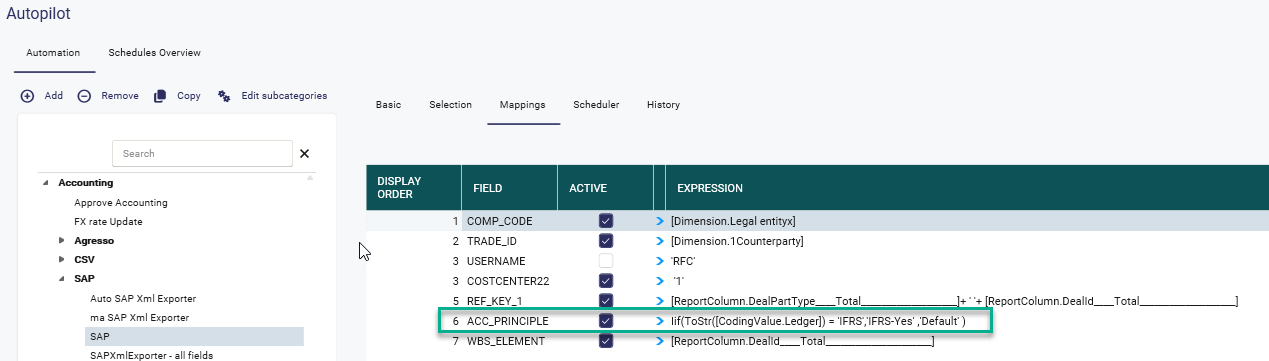
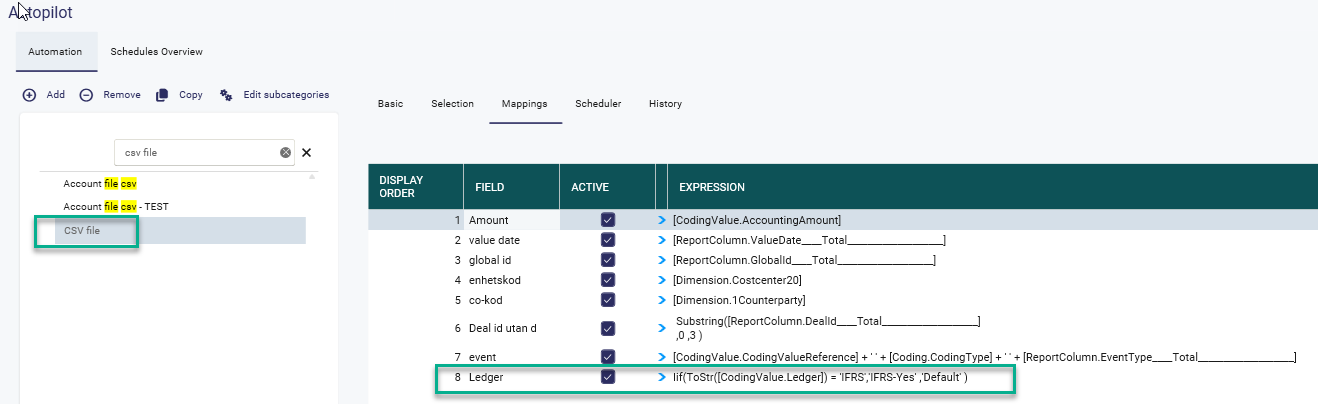
Ledger can be can also be included in the mapping for the accounting file.
For SAP the field name is 'ACC_PRINCIPLE'
Example for a csv file
Was this article helpful?
That’s Great!
Thank you for your feedback
Sorry! We couldn't be helpful
Thank you for your feedback
Feedback sent
We appreciate your effort and will try to fix the article